AI Floor Plan Generator for Real Estate Listings
Stop manual measurements. Use an AI floor plan generator for real estate listings to create accurate 2D & 3D plans from photos in minutes. Save time and
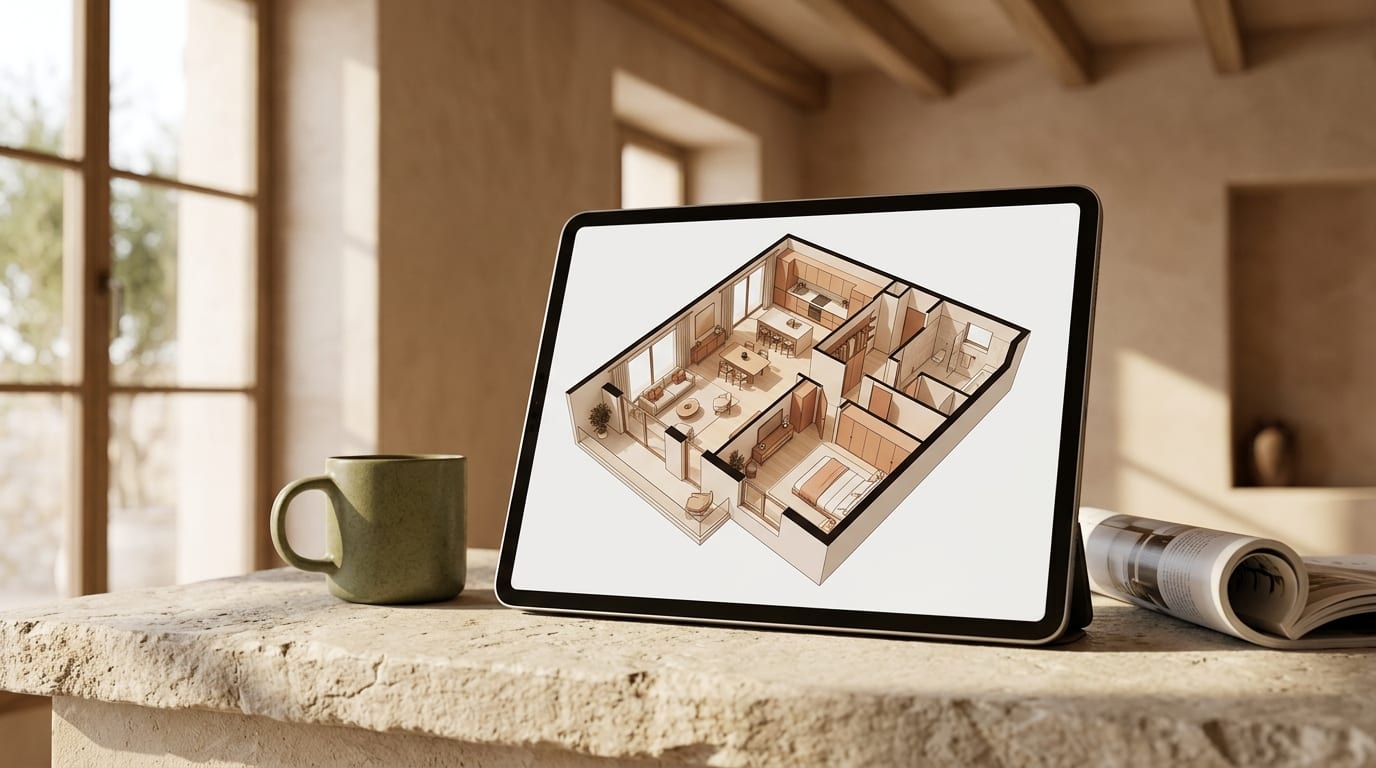
Manually measuring properties for floor plans costs you hours and delays your listing. An AI floor plan generator for real estate listings eliminates this bottleneck, creating accurate, professional 2D and 3D plans directly from your smartphone photos in minutes, not days.
This guide provides the exact steps to automate floor plan creation, helping you launch listings faster and give buyers the detailed information they demand.
Why Manual Floor Plans Are a Business Bottleneck
For decades, creating a floor plan was a choice between two bad options: spending hours on-site with a tape measure and notepad, or paying hundreds of euros for a professional surveyor. Both methods are slow, expensive, and introduce delays. In today's market, speed is a competitive advantage. Waiting for a surveyor or struggling with manual drawings means lost momentum and potential buyers moving on to other properties.
Automated floor plan creation solves this by using AI to process visual data, delivering a critical marketing asset almost instantly.
How to Use an AI Floor Plan Generator: Step-by-Step
Creating a floor plan with AI is a straightforward process that requires minimal technical skill. Most platforms are designed for agents on the go.
Step 1: Choose Your AI Tool
Select an AI floor plan generator that fits your workflow. Most fall into two categories:
- Smartphone Scanning Apps: These use your phone's camera and sensors (like LiDAR on newer iPhones) to scan a room as you walk through it. This method is often the most accurate.
- Photo Upload Platforms: These tools allow you to upload a series of photos of the property, which the AI then stitches together to calculate dimensions and layout.
Look for a service that offers both 2D and 3D outputs and allows for easy edits and branding.
Step 2: Capture the Property Data
High-quality input produces high-quality output. Follow these best practices during the capture phase:
- Ensure Good Lighting: Open all blinds and turn on lights to make sure the AI can clearly distinguish walls, corners, doors, and windows.
- Clear Obstructions: Move any objects that block the view of corners or the base of walls.
- Be Systematic: Start at the entrance of the property and move methodically from room to room. If using a scanning app, move slowly and steadily. If taking photos, capture each wall and corner from multiple angles.
Step 3: Let the AI Process Your Data
Upload your scan or photos to the platform. The AI will analyze the spatial data, measure distances, identify structural elements, and generate a draft floor plan. This automated process typically takes between 5 to 15 minutes, depending on the size of the property.
Step 4: Refine and Export
Once the draft is ready, review it for accuracy. Most AI floor plan software includes a simple editor to:
- Label rooms (e.g., "Master Bedroom," "Kitchen").
- Adjust wall lengths slightly if needed.
- Add fixed furniture symbols (sinks, showers, appliances).
- Apply your agency's branding.
When you are satisfied, export the final floor plan as a high-resolution JPG, PNG, or PDF to use on property portals, in marketing brochures, and on your website.
Comparing Floor Plan Creation Methods
Here’s how an AI-driven approach stacks up against traditional methods for creating a 2D floor plan for real estate.
| Method | Average Cost | Average Speed | Accuracy | Buyer Impact |
|---|---|---|---|---|
| Manual Measurement | Your time (2-3 hrs) | 2-4 hours per property | Low to Medium | Prone to errors, looks unprofessional |
| Professional Surveyor | €150 - €400+ | 2-5 business days | High | High, but slow and expensive |
| AI Floor Plan Generator | €10 - €30 per plan | 15-30 minutes | High (95-97%) | High, provides instant value |
From Floor Plan to Fully Staged: The Complete Visual Package
A floor plan gives buyers the logical layout, but professionally staged photos create the emotional connection that drives inquiries. Once you've automated your floor plans, the next logical step is to automate your staging.
Empty rooms feel cold and small in photos. Instead of paying thousands for physical furniture staging, you can use an AI tool like GetRestage to furnish your photos in seconds. It allows you to transform empty spaces into beautifully furnished, market-ready images that capture buyer attention.
While your AI floor plan generator handles the layout, GetRestage handles the lifestyle appeal. With plans starting at just €12/month, you can produce stunningly staged images for an effective cost of around €0.36 per photo, making every listing look its absolute best.
Frequently Asked Questions
How accurate are AI floor plan generators?
AI floor plan generators typically achieve 95-97% dimensional accuracy, which is more than sufficient for real estate marketing. While not a substitute for official architectural surveys, they provide buyers with a reliable and easy-to-understand representation of the property's layout and flow.
Can I create a 3D floor plan from photos?
Yes. Many modern AI tools can generate both 2D top-down plans and furnished 3D floor plans from the same set of photos or smartphone scan. This provides a comprehensive visual package that helps buyers better understand the space and envision themselves living there.
What is the best floor plan software for real estate agents?
The best software is fast, affordable, and requires no technical expertise. Look for an AI-powered solution that automates creation from photos, offers both 2D and 3D exports, and provides a simple editor for quick refinements. The goal is to integrate it seamlessly into your listing workflow.
Next Steps
You've seen how an AI floor plan generator for real estate listings can save you time and elevate your marketing. By automating tedious tasks, you free up your schedule to focus on what matters: closing deals and serving your clients.
Now, apply that same efficiency to your property photos. Elevate your listings from empty to irresistible with AI-powered virtual staging. Try GetRestage for free and see how quickly you can create a complete, high-impact visual package for every property.
Next step
Stage your next listing with Restage.