Fix Your Listing Photos: AI Real Estate Enhancement
Turn dark, blurry smartphone photos into professional listings. Learn how AI real estate photo enhancement fixes common issues and boosts your portal CTR.
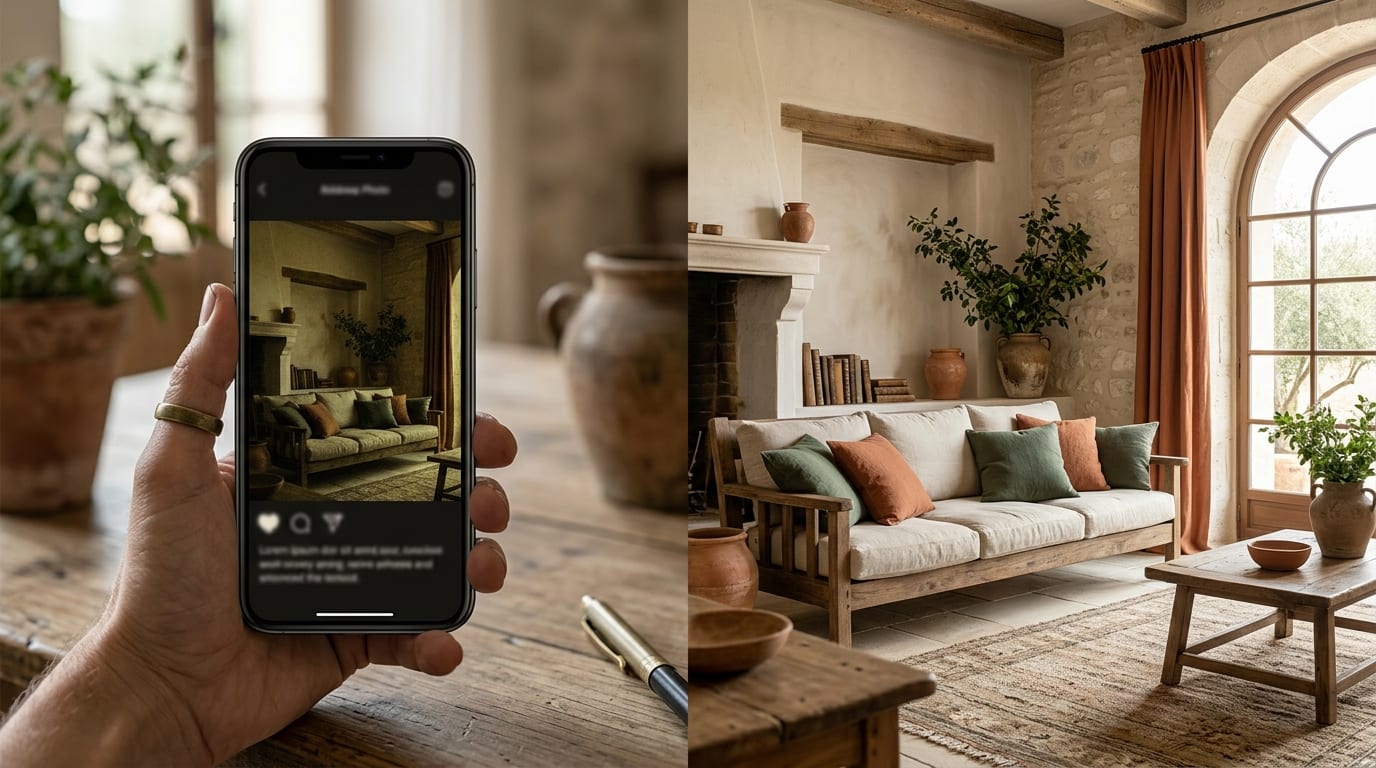
Poor listing photos are costing you clicks and viewings. If your smartphone images look dark, blurry, or unprofessional, the problem isn't your camera—it's the lack of professional processing. AI real estate photo enhancement solves this in seconds, turning amateur shots into portal-ready assets without the cost of a photographer.
Why Your DIY Photos Fail to Attract Buyers
Even the best smartphone camera can't overcome the challenges of property photography without help. Agents taking their own photos often struggle with four key issues that AI is specifically designed to fix:
- Poor Lighting: Dark rooms, shadowy corners, and windows that are completely blown-out with white light make a space feel small and uninviting. Manually fixing this is complex and time-consuming.
- Lack of Sharpness: Minor handshake or low-light conditions can result in soft or blurry listing images. This lack of crisp detail signals low quality to potential buyers scrolling through portals.
- Dull or Inaccurate Colors: Interior lighting can cast a yellow or blue tint on walls, while overcast days can make exteriors look gray and lifeless. This misrepresents the property's true feel.
- Poor Composition: Crooked vertical lines, distracting clutter, or a poorly framed shot can make a property look unprofessional. While AI can't re-take the photo, it can correct perspective and improve focus on the key features.
How to Use AI Real Estate Photo Enhancement: Step-by-Step
Transforming your smartphone photos from amateur to professional is a simple, three-step process with a dedicated tool like GetRestage. You don't need any technical photo editing skills.
Step 1: Upload Your Original Smartphone Photo
Log into your GetRestage account and upload the photo directly from your phone or computer. The platform accepts standard image formats like JPG and PNG. There's no complex software to install; the entire process happens in your web browser.
Step 2: Select Your Enhancement Level
Choose the processing level that matches your needs. For a standard, high-quality portal image, select the 'Listing' option. This single click triggers AI algorithms to automatically balance lighting, correct colors, sharpen details, and straighten lines. It's the equivalent of a professional retoucher's workflow, executed in under a minute.
Step 3: Download the Professional-Grade Image
Once the AI processing is complete, your enhanced photo is ready for download. You'll see a brighter, crisper, and more vibrant image that is optimized for real estate portals. The difference is immediate and dramatic, ready to capture buyer attention.
Photo Enhancement Options: AI vs. Manual vs. Pro Photographer
For a solo agent, choosing how to produce listing photos is a balance of cost, time, and quality. Here’s how AI real estate photo enhancement compares to traditional methods.
| Feature | Professional Photographer | Manual Editing (DIY) | AI Enhancement (GetRestage) |
|---|---|---|---|
| Cost | €150 - €500+ per property | Free (but costs hours of your time) | ~€0.20 - €0.75 per image |
| Turnaround Time | 24 - 72 hours | 15 - 45 minutes per photo | < 1 minute per photo |
| Skill Required | None (you hire them) | High (requires software like Photoshop) | None (1-click process) |
| Consistency | High (but depends on the photographer) | Low (results vary by skill and effort) | Extremely High (consistent results every time) |
Frequently Asked Questions
Can AI fix very dark real estate photos?
Yes. Modern AI algorithms are trained on millions of property images to expertly balance exposure. They can brighten dark shadows and recover details from blown-out windows far more effectively than a simple brightness slider, producing a natural, high-dynamic-range look.
How can I sharpen blurry listing images?
AI photo enhancement uses intelligent deconvolution algorithms to analyze and sharpen blurry images. It rebuilds soft edges and enhances textures without adding the artificial 'grain' that often comes from basic sharpening filters, resulting in a crisp, clear photo.
What is the best AI photo editor for real estate?
For agents, the best tools are purpose-built for property marketing. GetRestage is ideal because it integrates AI enhancement, item removal, and virtual staging into a single, streamlined workflow. This saves you from jumping between multiple apps to get your visuals market-ready.
Do I still need real estate photography tips if I use AI?
Yes. While AI is powerful, starting with a good base image yields the best results. Basic tips like cleaning your phone's lens, holding the camera steady, and shooting with straight lines will give the AI a stronger foundation to work with, leading to exceptional final images.
Next Steps
Stop letting amateur photos undermine your listings and your professional brand. AI real estate photo enhancement is the fastest, most affordable way to produce consistently high-quality visuals that compete with top agencies, directly from the phone in your pocket.
Ready to see the difference? Sign up for GetRestage and use your free credits to transform your own listing photos in seconds.
Next step
Stage your next listing with Restage.