AI Renovation Preview: A Checklist to Sell Homes Faster
Use an AI renovation preview to sell dated properties faster. Our checklist shows how to visualize potential, attract more buyers, and close deals on
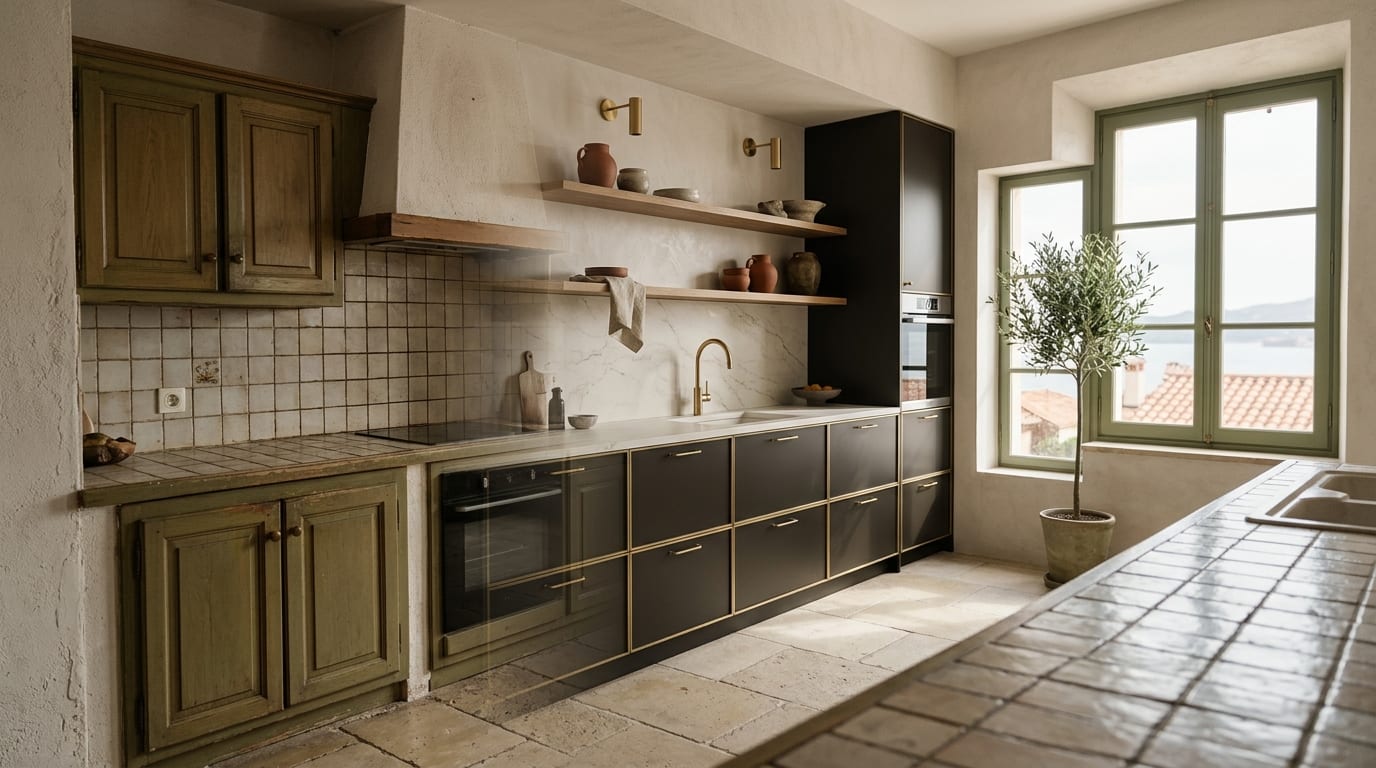
Dated properties sit on the market because buyers can't visualize their potential. An AI renovation preview transforms a 'fixer-upper' liability into a compelling asset, showing buyers exactly what their future home could look like—in minutes.
This checklist provides the exact playbook for using AI to market and sell properties that need updates, turning buyer objections into offers.
Why Traditional Listings Fail for Fixer-Uppers
Buyers scrolling through portals make snap judgments in seconds. An outdated kitchen, worn-out flooring, or a poorly configured bathroom can trigger an immediate 'no,' regardless of the property's location or structural integrity. Phrases like "huge potential" or "ready for your personal touch" in a listing description are ignored.
While physical renovations are too costly and time-consuming for a sale, and traditional virtual staging only adds furniture to an already dated space, an AI renovation preview offers a third, more powerful option. It digitally remodels the space, showing a fully modernized version that aligns with current buyer expectations.
How to Create an AI Renovation Preview: Step-by-Step Playbook
Follow this simple three-step process to turn a property's weakest point into its strongest selling feature.
Step 1: Identify the 'Problem' Room
Walk through the property and identify the one or two spaces that are the biggest barriers to a sale. This is almost always the kitchen or the master bathroom. These rooms have the highest emotional impact on buyers and the highest perceived renovation cost. Focusing your AI efforts here will yield the greatest return.
Step 2: Take a High-Quality 'Before' Photo
Your AI-generated image is only as good as the source photo. For best results:
- Use a wide-angle lens to capture the entire space.
- Ensure the room is well-lit with natural light if possible.
- Declutter the space completely. The AI works best on empty or nearly empty rooms.
- Take the photo from a corner or doorway to provide a clear perspective.
Step 3: Generate the 'After' Vision with GetRestage
Upload your 'before' photo to an AI platform like GetRestage. Instead of simple virtual staging, select the 'Renovation' or 'Redevelopment' function. Choose a modern, appealing design style like 'Scandinavian' or 'Industrial' and let the AI generate a fully renovated 'after' image. The tool will digitally replace flooring, cabinets, fixtures, and wall textures in under 60 seconds.
Strategic Comparison: Renovation Visualization Options
Not all visualization methods are created equal. For real estate agents needing speed, scale, and affordability, AI is the clear winner.
| Method | Cost | Turnaround Time | Scalability |
|---|---|---|---|
| Physical Renovation | €10,000+ | Weeks to Months | Not Scalable |
| Architect/Designer Renders | €300 - €1,500+ | 5-10 Business Days | Low |
| Human Virtual Staging Agency | €15 - €40+ per photo | 1-3 Business Days | Moderate |
| AI Renovation Preview (GetRestage) | ~€0.36 per photo* | < 60 Seconds | High |
Effective cost for a Listing-quality image on the Studio plan (€29/mo for 160 credits).
Integrating Previews into Your Marketing Workflow
Once you have your 'before' and 'after' images, deploy them across all your marketing channels:
- Listing Portals: Make the 'after' image the second or third photo in your gallery. Use a 'before/after' slider if the portal supports it.
- Social Media: Create compelling carousel posts or reels showing the transformation.
- In-Person Viewings: Have a high-quality print of the 'after' photo on an easel in the actual room so buyers can see the vision in context.
- Email Marketing: Send a dedicated email to your buyer database showcasing the 'potential unlocked' at your new listing.
This multi-channel approach ensures that you capture the attention of buyers who would have otherwise dismissed the property.
Frequently Asked Questions
What is an AI renovation preview?
An AI renovation preview is a digitally generated image that shows how a room or property could look after a complete renovation. Unlike virtual staging, which only adds furniture, an AI renovation tool can change structural elements like flooring, walls, cabinets, and fixtures to create a fully modernized vision.
How much does a virtual renovation for real estate cost?
Traditional virtual renovation services from human designers can cost between €15 and €40+ per image. Modern AI platforms like GetRestage have made this far more accessible, with costs dropping to under a euro per image on subscription plans (e.g., the Studio plan at €29/month).
Can AI change flooring, walls, and cabinets?
Yes. This is the key difference between a simple staging tool and a true AI renovation visualizer. Advanced AI can perform 'digital demolition,' removing old elements and replacing them with modern alternatives, including changing wall textures, flooring materials, kitchen cabinetry, and bathroom fixtures.
Next Steps
Stop letting a lack of buyer imagination dictate your sales timeline. By integrating AI renovation previews into your listings, you can proactively address objections, highlight a property's true value, and attract a wider pool of qualified buyers.
Don't let a dated kitchen kill another deal. Create your first AI renovation preview in seconds and show buyers the home of their dreams. Sign up for GetRestage and get started for free.
Next step
Stage your next listing with Restage.