Marketing a Property with Virtual Staging: The Playbook
Learn how to market a property using virtual staging photos. Our playbook covers social media, property portals, and ads to attract more buyers and
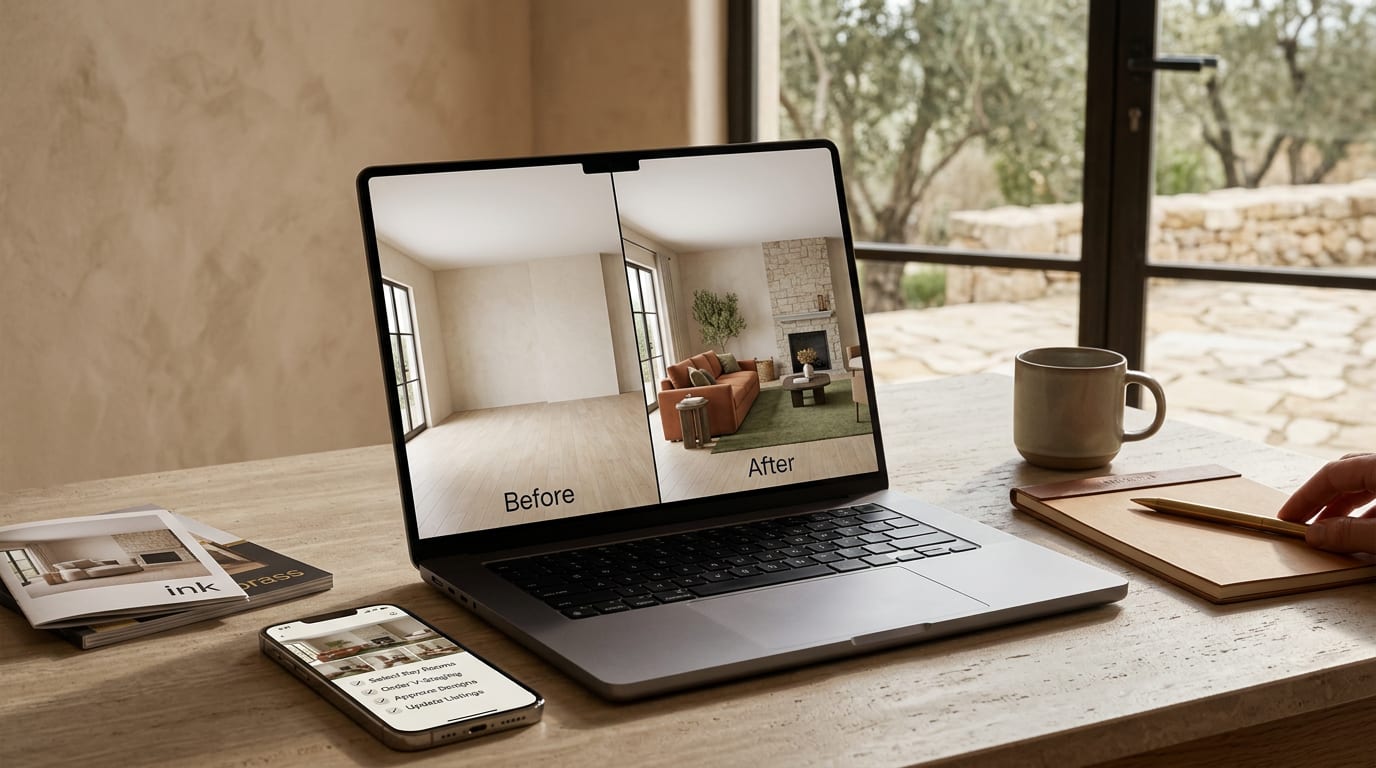
Investing in virtual staging is only half the battle; maximizing its ROI requires a deliberate marketing strategy. Without a clear plan, your beautifully staged photos become just another listing expense instead of a powerful lead-generation asset. This playbook provides a step-by-step framework to turn your virtual staging investment into more clicks, viewings, and offers.
Why Your Virtual Staging Isn't Converting
Many agents generate virtually staged photos but fail to leverage them beyond the primary listing image. They post inconsistently on social media or neglect to use them in ads and email campaigns. This scattered approach fails to build momentum or capture buyer attention across different channels. The key isn't just having staged photos—it's deploying them strategically to tell a compelling story of a property's potential.
Generating these assets is the first step. With AI platforms like GetRestage, you can stage an entire property in minutes for a fraction of traditional costs. A listing-quality image costs just 2 credits, which on our popular Studio plan (€29/mo for 160 credits) works out to about €0.36 per photo. This affordability allows you to create a deep well of content for the marketing plan that follows.
How to Market a Property Using Virtual Staging Photos: A 4-Step Playbook
Follow this checklist to ensure every staged photo works to market your listing effectively.
Step 1: Optimize Your Property Portal Listing
Your listing on portals like Rightmove, Zillow, or Idealista is the foundation.
- Select a Hero Image: Your first photo must be the most aspirational, virtually staged shot. A beautifully furnished living room or master bedroom works best to stop scrollers and drive clicks.
- Order Your Photos Strategically: Follow the hero shot with 2-3 more staged images of key rooms. Then, introduce the corresponding empty 'before' photos. This provides inspiration first, then a blank canvas, managing expectations transparently.
- Disclose Clearly: Add a small, unobtrusive watermark like "Virtually Staged" to the images. Also, include a sentence in your property description, such as, "Some images have been virtually staged to illustrate the property's potential."
Step 2: Launch a 'Before & After' Social Media Campaign
Virtual staging is perfect for creating engaging, shareable social media content.
- Instagram/TikTok: Create a Reel or Carousel post. Start with the staged 'after' shot, then swipe/reveal the empty 'before' photo. Use trending audio and text overlays like "From empty to extraordinary" or "Imagine your life here." Ask a question in the caption, like "Which style would you choose for this room?"
- Facebook: Post a 'before & after' side-by-side image or a photo album. In the post text, highlight the property's key features and link directly to the listing. This format is ideal for local community groups.
- LinkedIn: For high-end or investment properties, share a sophisticated 'before & after' image. Frame the post around the investment potential, market trends, or the value of professional property presentation.
Step 3: Enhance Your Digital Advertising
Use your best-staged photos to improve the performance of your paid ads.
- Facebook/Instagram Ads: Run A/B tests comparing an ad with a staged photo against one with an exterior shot or an empty room. Target users based on demographics, location, and interests (e.g., 'likely to move'). The staged photo almost always yields a lower cost-per-click and higher engagement.
- Google Ads: If you're running search campaigns, use your staged photos in image extensions to make your text ads stand out on the results page.
Step 4: Supercharge Email Marketing & Prospecting
Your email list and CRM are goldmines for marketing a new listing.
- 'New Listing' Email Blast: Lead your newsletter with the stunning hero staged photo. This is far more effective than a standard exterior shot and encourages higher open and click-through rates.
- Listing Presentations: Incorporate 'before & after' case studies into your presentations for potential sellers. Show them exactly how you'll market their property, proving your value and justifying your commission. This demonstrates a modern, tech-forward approach that wins business.
Virtual Staging Content Strategy by Platform
Use this table as a quick reference for your marketing activities.
| Platform | Content Format | Key Tactic |
|---|---|---|
| Property Portals | Hero Image, Photo Gallery | Lead with the best staged shot; follow with 'before' photos. |
| Instagram / TikTok | Reels, Carousels, Stories | Create engaging 'before & after' reveals to stop the scroll. |
| Side-by-Side Images, Albums | Share in local groups and run targeted A/B test ads. | |
| Single Image Post | Focus on investment potential and professional presentation. | |
| Email Newsletter | Embedded Hero Image | Use the most aspirational staged photo to boost click-through rates. |
| Listing Presentations | Case Study Slides | Show sellers tangible proof of your advanced marketing strategy. |
Frequently Asked Questions
Should I show both virtually staged and empty photos in a listing?
Yes, absolutely. Showing both provides inspiration and transparency. It allows potential buyers to envision the space furnished while also giving them a clear view of the empty room's structure and condition. This combination builds trust and answers key questions upfront.
How do you properly disclose virtual staging to buyers?
Disclosure should be clear but subtle. The best practice is to add a small, non-distracting watermark (e.g., "Virtually Staged") to the corner of the image and include a brief statement in the public property description. This ensures compliance and manages buyer expectations effectively.
What is the best social media platform for virtual staging marketing?
Instagram is the most powerful platform due to its visual nature. Formats like Reels and Carousels are perfect for 'before & after' content that drives high engagement. Facebook is also excellent for targeted advertising and sharing in local community groups to reach a broad audience.
Next Steps
A successful property marketing campaign uses virtual staging as a strategic asset across every channel, not just as a single photo on a portal. By following this playbook, you create a cohesive narrative that captures buyer imagination, drives qualified leads, and demonstrates undeniable value to potential sellers.
Ready to create the high-quality assets you need to execute this strategy? Get started with GetRestage and generate dozens of marketing-ready images for your next listing in minutes.
Next step
Stage your next listing with Restage.