Virtual Staging Photo Checklist
Learn how to prepare a property for virtual staging photography with our essential checklist. Get perfect shots for AI staging and avoid reshoots.
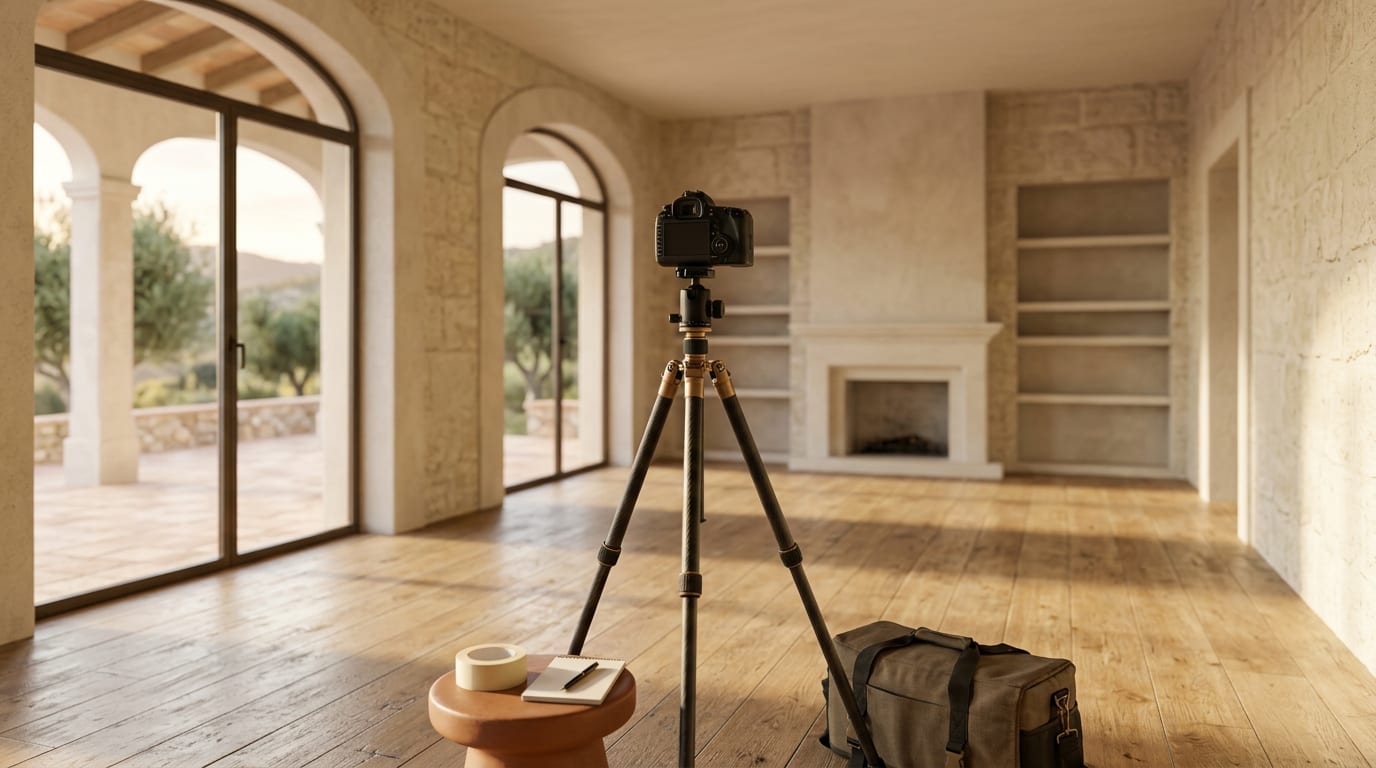
Poor 'before' photos create unrealistic virtual staging and kill buyer interest. This checklist ensures you capture the perfect canvas for AI staging, eliminating costly reshoots and maximizing your listing's appeal from day one. Follow these steps to prepare a property for virtual staging photography and guarantee a high-quality result.
Why Your 'Before' Photos Matter
AI virtual staging is powerful, but it follows a simple rule: garbage in, garbage out. The quality of your final staged image is entirely dependent on the quality of the initial photograph. A cluttered, poorly lit, or awkwardly angled photo forces the AI to guess, resulting in unrealistic shadows, floating furniture, and a final image that looks fake. A clean, bright, well-composed empty room is the essential foundation for a photorealistic result that captivates buyers.
How to Prepare a Property for Virtual Staging Photography
Follow this step-by-step playbook to capture the perfect base images. This is the definitive real estate photography checklist for virtual staging.
Step 1: Declutter and Depersonalize Completely
The goal is a completely blank canvas. Instruct the seller to remove everything from the rooms you plan to stage. This isn't a typical tidy-up; it's a full clear-out.
- Remove All Furniture: Couches, tables, beds, chairs, and shelving must go.
- Clear Floors: Remove all rugs, mats, and runners.
- Empty Walls and Surfaces: Take down all artwork, photos, and personal decor.
- Hide Clutter: Remove stray items like pet bowls, waste bins, and stray cables.
It is always easier for AI to add furniture to an empty room than to digitally remove existing items.
Step 2: Deep Clean and Make Minor Repairs
High-resolution cameras capture every detail, including dust and scuff marks. The AI will stage the room, but it won't clean it. Ensure the property is immaculate.
- Floors: Mop, vacuum, or polish all flooring.
- Walls: Wipe down walls and baseboards. Patch any visible nail holes or scuffs.
- Windows: Clean all windows and glass doors, inside and out, to maximize natural light.
- Fixtures: Dust light fixtures, ceiling fans, and built-in shelving.
Step 3: Optimize for Bright, Even Lighting
Light is the most critical element for realistic photography. A bright, welcoming space is essential.
- Maximize Natural Light: Open all curtains, blinds, and shutters completely.
- Turn On All Lights: Switch on every overhead light, lamp, and sconce to create balanced, even lighting and eliminate dark corners.
- Choose the Right Time: Shoot during daylight hours, preferably on a bright, slightly overcast day to avoid harsh shadows from direct sun.
Step 4: Capture Professional Angles and Resolution
How you take the photo is just as important as the room's preparation.
- Use a Tripod: This ensures sharp, level, and consistent photos.
- Shoot from Corners: Position the camera in a corner, facing into the room, to make the space feel as large as possible.
- Maintain a Consistent Height: Set the camera height to approximately 1.5 meters (5 feet) to mimic a natural eye-level view.
- Use a Wide-Angle Lens: A lens between 16-24mm is ideal for capturing the entire room without distortion.
- Shoot in High Resolution: Set your camera to its highest quality setting (large JPG or RAW). Images should be at least 3000 pixels wide.
The Pre-Staging Photoshoot: At a Glance
Use this table as a final check before the photoshoot begins.
| Category | Action Item | Why It Matters for AI Staging |
|---|---|---|
| Preparation | Declutter EVERYTHING. Remove all furniture & personal items. | Provides a blank canvas; prevents awkward digital removal. |
| Cleaning | Deep clean floors, walls, windows. Make minor repairs. | High-resolution photos show every detail, including dirt. |
| Lighting | Open all blinds. Turn on all lights. Shoot during the day. | Bright, even lighting is crucial for realistic AI shadows & textures. |
| Photography | Shoot from corners, use a tripod, keep the camera level. | Creates a spacious, professional look that's easy to stage. |
| Technical | Use high-resolution settings (min. 3000px wide). | Ensures the final staged image is crisp and high-quality. |
Once you have these perfect base photos, the final step is effortless. Platforms like GetRestage use these clean images to generate multiple design styles in minutes, transforming an empty space into a fully furnished home for a fraction of the cost of traditional staging. A typical listing-quality image costs just 2 credits, with effective per-image costs often between €0.36 and €0.48 on popular plans.
Frequently Asked Questions
Should I remove all furniture before virtual staging photography?
Yes, absolutely. Removing all furniture provides a clean slate for the AI, resulting in the most realistic and flexible staging options. It is much harder and less effective for AI to work around existing pieces, and digital removal can sometimes leave artifacts.
What's the best time of day to take photos for virtual staging?
Mid-day on a bright, slightly overcast day is ideal. This provides maximum natural light without the harsh shadows of direct sunlight. Avoid shooting at dawn, dusk, or night, as poor lighting compromises the realism of the final staged image.
Can I use my smartphone for virtual staging photos?
While a DSLR with a wide-angle lens is best, modern smartphones can work if used correctly. Ensure your phone is set to its highest resolution, use a tripod for stability, keep the phone perfectly level, and stand in a corner to capture the widest possible view.
Next Steps
Getting the pre-staging photography right is the most critical step for a successful virtual staging outcome. By following this checklist, you provide the perfect foundation for creating stunning, realistic visuals that attract more buyers and lead to faster sales.
Ready to turn your empty property photos into compelling listings? Upload your shots to GetRestage and get professionally staged images in minutes. Plans start at just €12/month for 50 credits. Try GetRestage today.
Next step
Stage your next listing with Restage.