Staging vs Renovation vs Removal: An Agent's Guide
Confused by virtual staging, renovation, & item removal? This guide gives agents a clear framework to choose the right AI tool for any listing to maximize
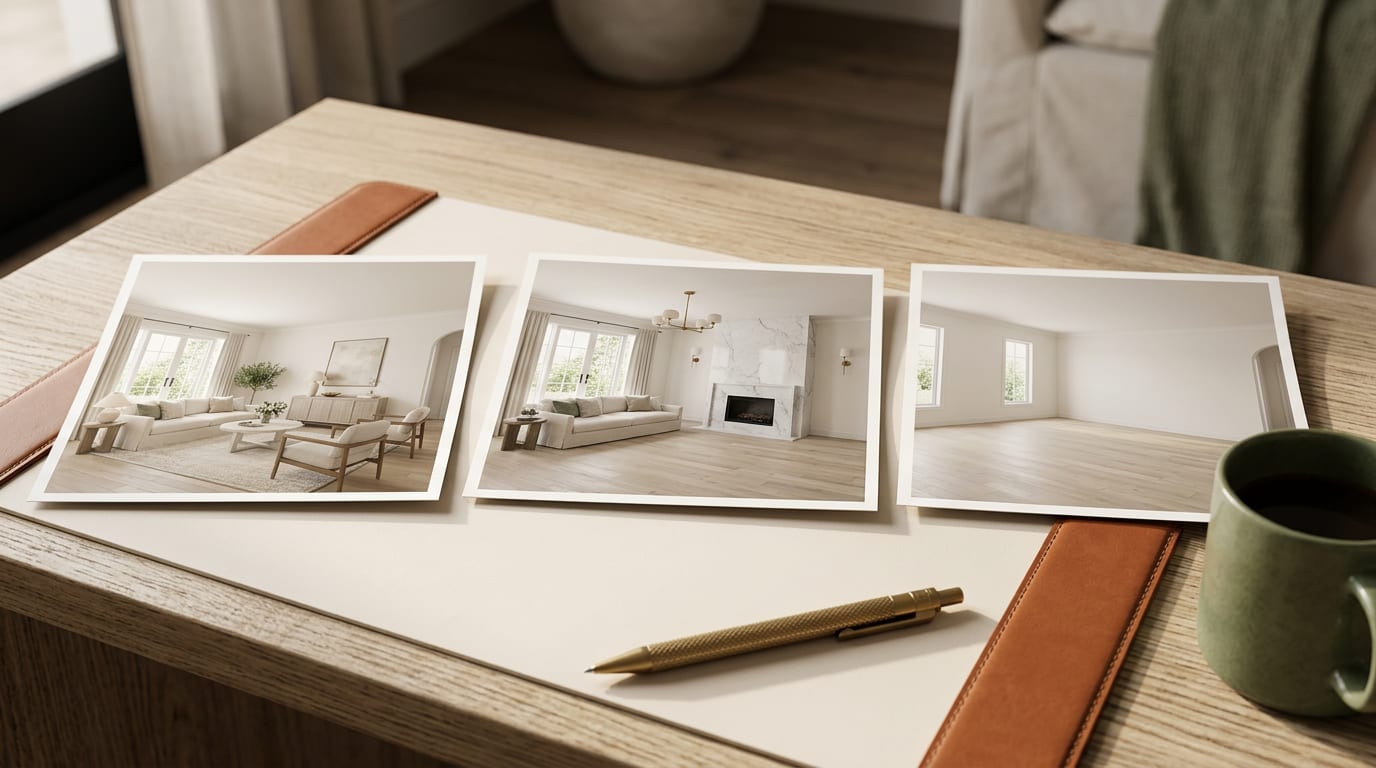
Using the wrong AI photo editing tool wastes your marketing budget and confuses buyers. Virtually staging a kitchen that needs a complete overhaul is as ineffective as renovating a room that's just cluttered. This guide provides a clear framework for choosing the right tool—virtual staging, virtual renovation, or AI item removal—to maximize buyer interest for any listing scenario.
The Core Problem: Matching the Tool to the Property's Need
Choosing the right visual marketing strategy depends entirely on the property's core challenge. Each AI tool solves a distinct problem, and misdiagnosing it leads to poor results.
- The Empty Space Problem: Vacant properties feel cold, small, and lack emotional connection. Buyers struggle to visualize furniture placement, scale, or how the space could function as a home. Solution: Virtual Staging.
- The Outdated/Damaged Problem: The property has good bones but suffers from dated flooring, worn-out cabinets, or unappealing paint colors. These cosmetic issues signal a costly project to buyers, deterring offers. Solution: Virtual Renovation.
- The Cluttered Space Problem: The seller's personal belongings, bulky furniture, or general clutter obscure the room's size, layout, and key features. Buyers can't see past the mess to the underlying value. Solution: AI Item Removal.
How to Choose the Right AI Tool: A Step-by-Step Playbook
Follow this simple three-step process to select the most profitable and effective tool for every photo in your listing.
Step 1: Diagnose the Core Issue
Look at the empty, outdated, or cluttered room and ask one question: What is the single biggest barrier preventing a buyer from loving this space? Ignore secondary issues. If the room is packed with furniture but also has a dated carpet, the clutter is the primary barrier. You can't see the carpet anyway. If the room is empty but has a terrible wall color, the emptiness is the primary barrier because it lacks any vision of a home.
Step 2: Define the Marketing Goal
Based on your diagnosis, clarify your objective. Your goal is not just to make the photo 'prettier,' but to solve a specific buyer problem.
- Goal: Demonstrate Lifestyle & Scale. If the room is empty, your goal is to show how a family could live in the space. You need to add furniture. Choose: Virtual Staging.
- Goal: Showcase Potential & ROI. If the room is dated, your goal is to show how a small investment in updates could transform the property, justifying the asking price. Choose: Virtual Renovation.
- Goal: Reveal the True Space. If the room is cluttered, your goal is to show the actual dimensions, layout, and features hidden beneath the seller's items. Choose: Item Removal.
Step 3: Execute with an Integrated Tool
Using separate services for each task is inefficient and costly. A unified platform allows you to apply the correct solution on a photo-by-photo basis. For example, you might use AI item removal on the living room photo and then use virtual staging on the now-empty image, all within seconds. GetRestage integrates all three capabilities, allowing you to choose the right tool for each image without switching platforms.
Staging vs. Renovation vs. Removal: A Decision Framework
Use this table as a quick reference for your next listing.
| Feature | Virtual Staging | Virtual Renovation | AI Item Removal (Decluttering) |
|---|---|---|---|
| Best For... | Vacant or sparsely furnished properties. | Dated but structurally sound properties. | Occupied, cluttered, or personal properties. |
| Key Goal | Add furniture to create warmth, scale, and lifestyle. | Change surfaces like floors, walls, cabinets, etc. | Remove furniture and clutter to show the raw space. |
| Buyer Psychology | "I can see myself living here." | "I can see the potential after a few updates." | "This room is bigger than I thought!" |
| When to Avoid | Rooms needing structural changes or major repairs. | Well-maintained, modern, or already staged homes. | Empty rooms (there's nothing to remove). |
| Typical Cost | Human Agency: €15-€40+ per photo. | Specialist Agency: €30-€100+ per photo. | Editor/Agency: €5-€20+ per photo. |
| GetRestage Cost | From ~€0.20-€0.75 per image (credit-based plans). | From ~€0.20-€0.75 per image (credit-based plans). | From ~€0.20-€0.75 per image (credit-based plans). |
Frequently Asked Questions
When should I use virtual staging?
Use virtual staging for vacant or unfurnished properties. Its primary purpose is to help buyers understand the scale of a room and visualize how their own furniture might fit. It creates an emotional connection by showing a cold, empty space as a warm, inviting home.
Is virtual renovation misleading to buyers?
No, as long as it is clearly disclosed as a "vision" or "renovation potential" image. Virtual renovation is a powerful marketing tool that inspires buyers and shows them the property's potential value after cosmetic updates, helping them look past dated finishes without being deceptive.
Can AI item removal handle heavily cluttered rooms?
Yes, modern AI decluttering tools like GetRestage can effectively remove multiple objects, from large sofas to small personal items, from a photo. The technology intelligently rebuilds the walls, floors, and ceilings behind the removed objects to present a clean, empty version of the room.
Next Steps
Stop guessing which visual strategy your listing needs. By diagnosing the core problem—empty, outdated, or cluttered—you can confidently choose between virtual staging, renovation, or item removal to create the biggest impact on potential buyers.
GetRestage is the only platform that combines all three essential tools, allowing you to apply the perfect solution to any photo in seconds. Transform your property marketing and attract more qualified buyers today. Start your free trial on GetRestage.
Next step
Stage your next listing with Restage.